
How do I register for the course?
Not sure how to start?
no problem – just follow the steps below.
1. Register FREE – Pay when you PASS!
NO CREDIT CARD details required to register.
2. Receive “Create Password” link.
Receive “Course Invitation” link.
3. Complete all course assessment modules.
4. Finalise your Owner Builder Project Management Platform fee – $189.
Get access to all our solutions, resources, assets & discounts.
5. Certificate emailed same day.
We make it so easy!
If you have any problem logging in, please contact SAFE RITE on Ph: 1300 217 584

Step 1
Click on the “Register FREE NOW!” button.

Step 2
Select from your “PRO Level ($170)” or “Pay when you pass($189)” options.
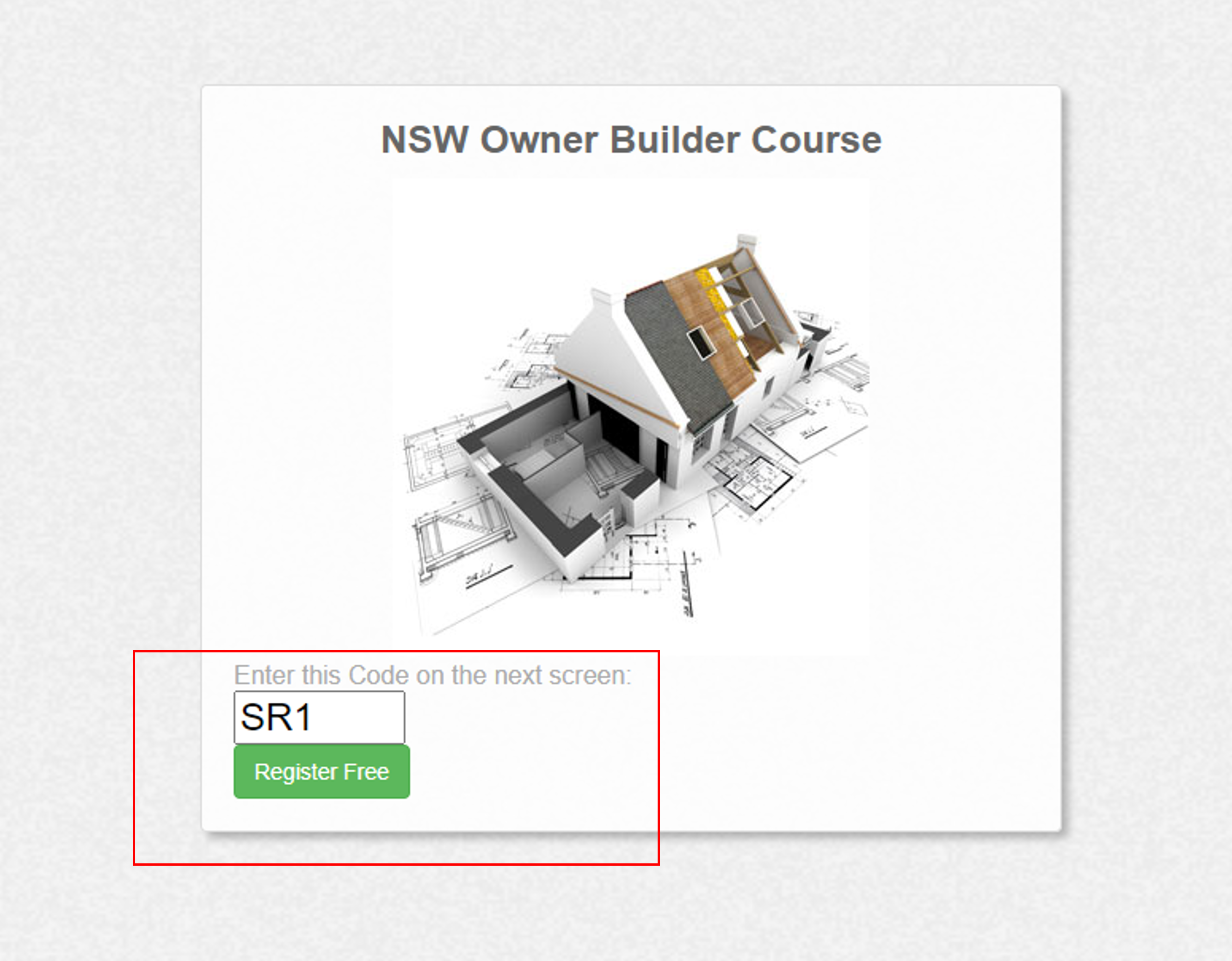
Step 3
Remember code “SR1” and then press “Register Free” button.
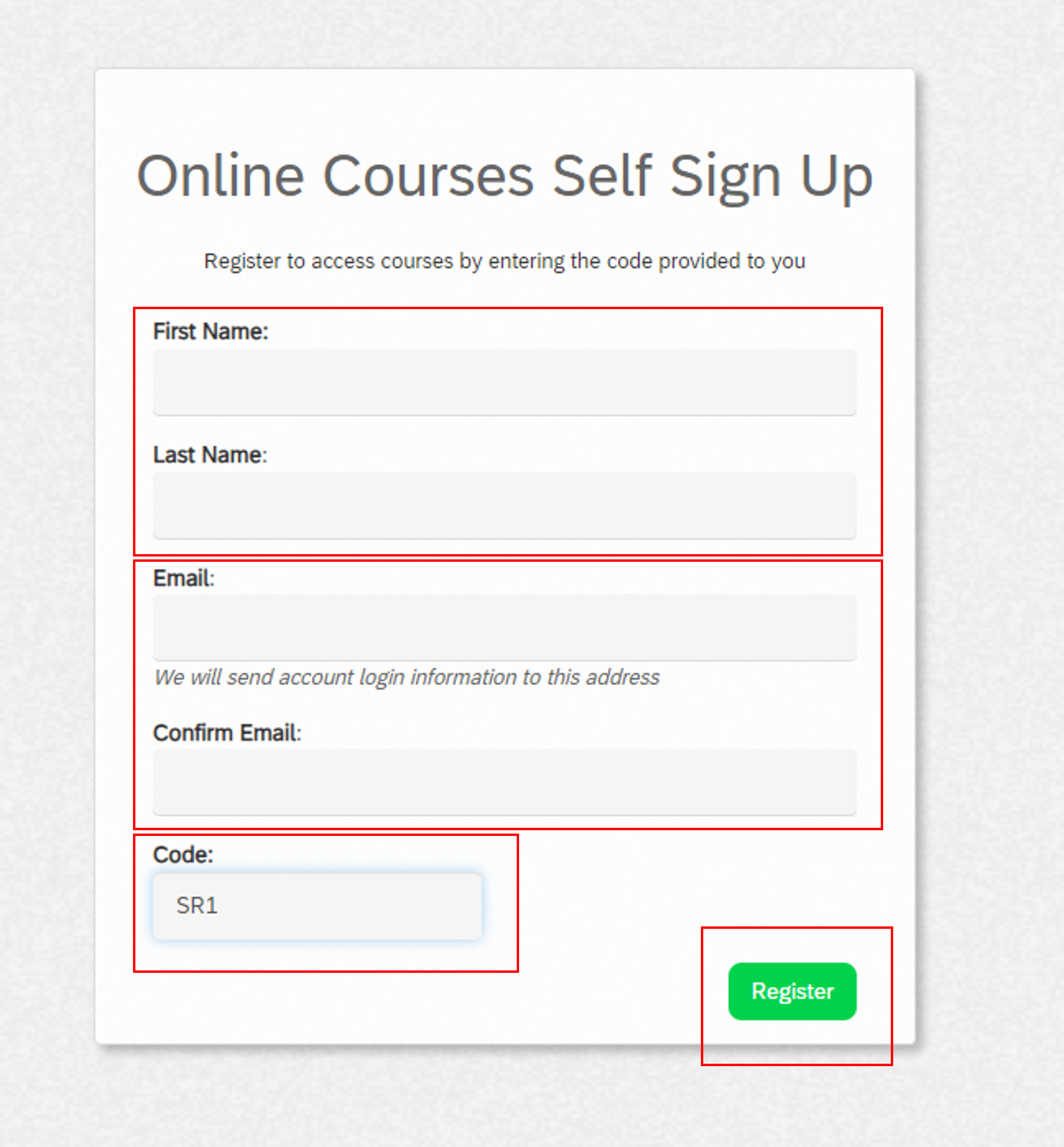
Step 4
– Complete your details
– Confirm email
– Enter code “SR1”
– Click “Register” button
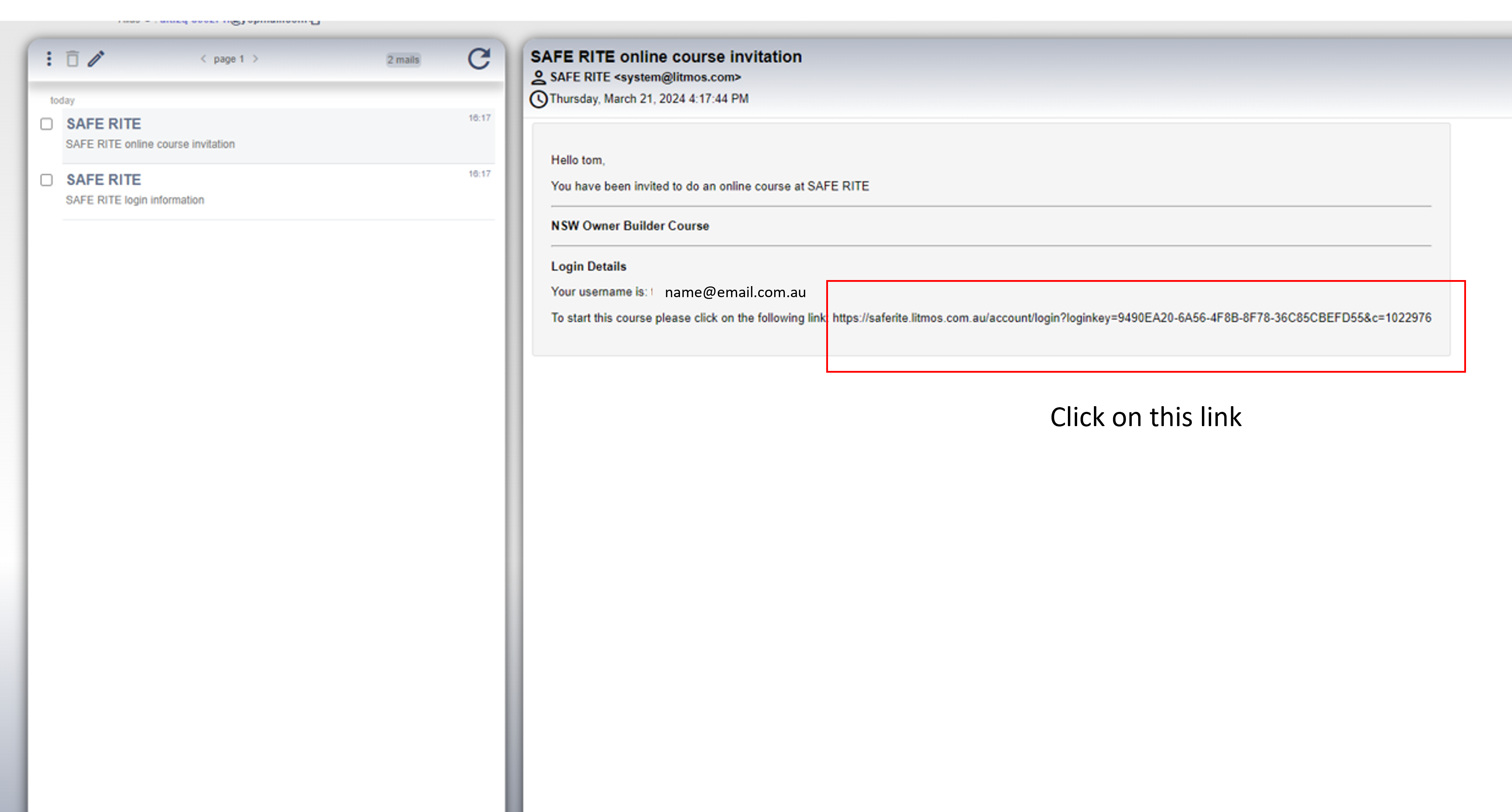
Step 5
Receive 2 emails with login details and instructions
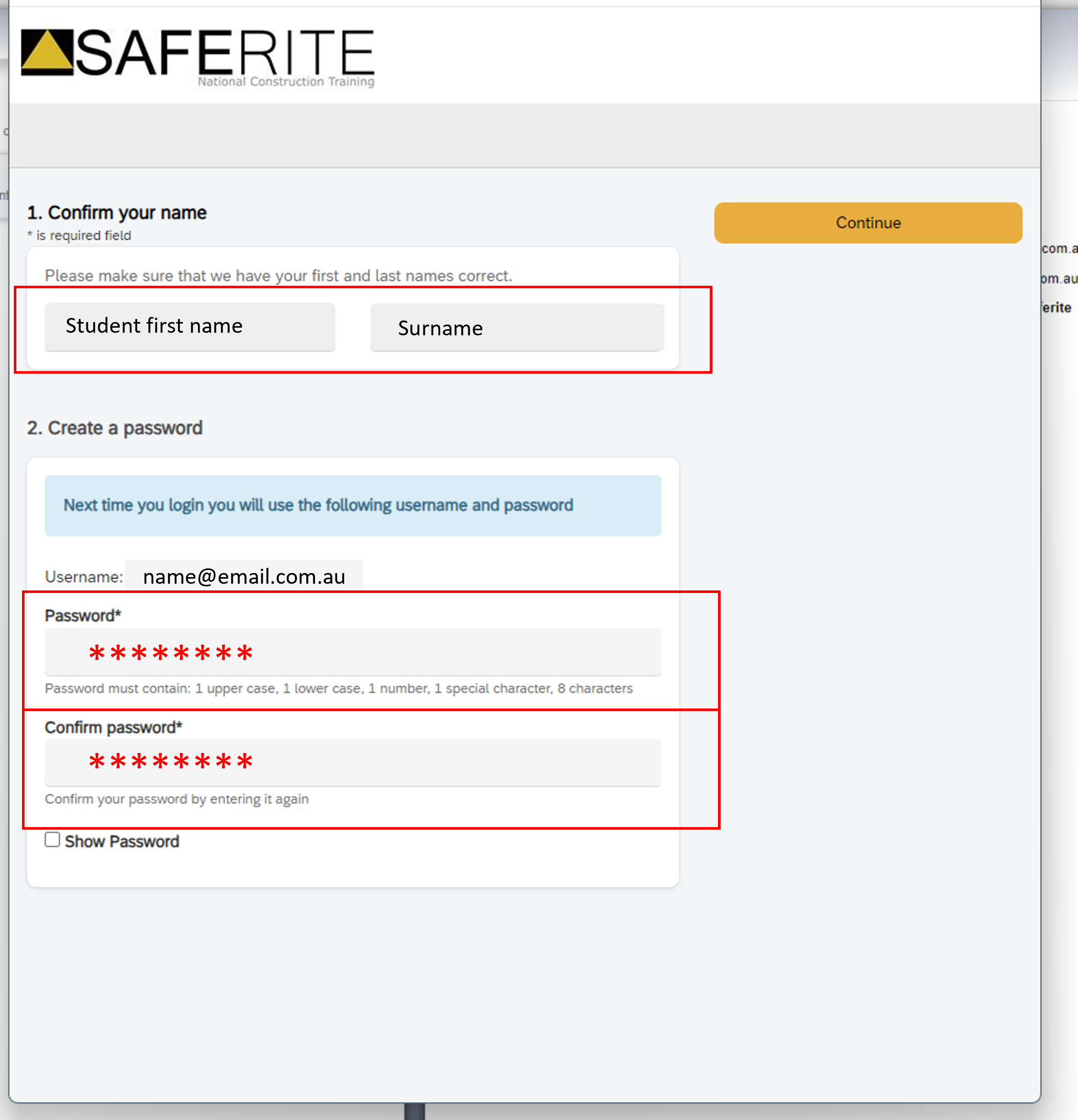
Step 6
– Confirm students name.
– Create & confirm password.
– Press “Continue” at top right.
Step 7
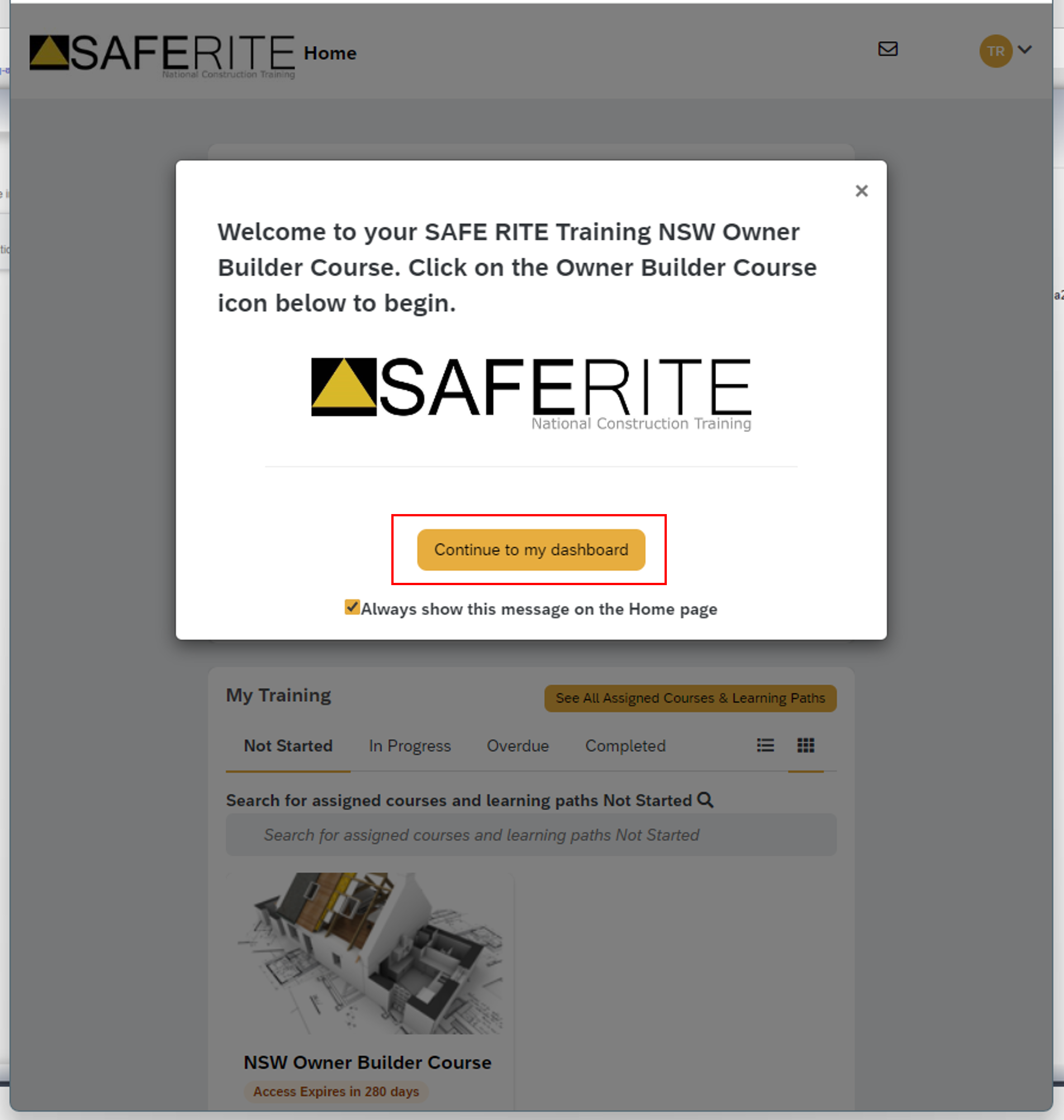
You have now successfully created your account.
Click “Continue to my dashboard”
Step 8
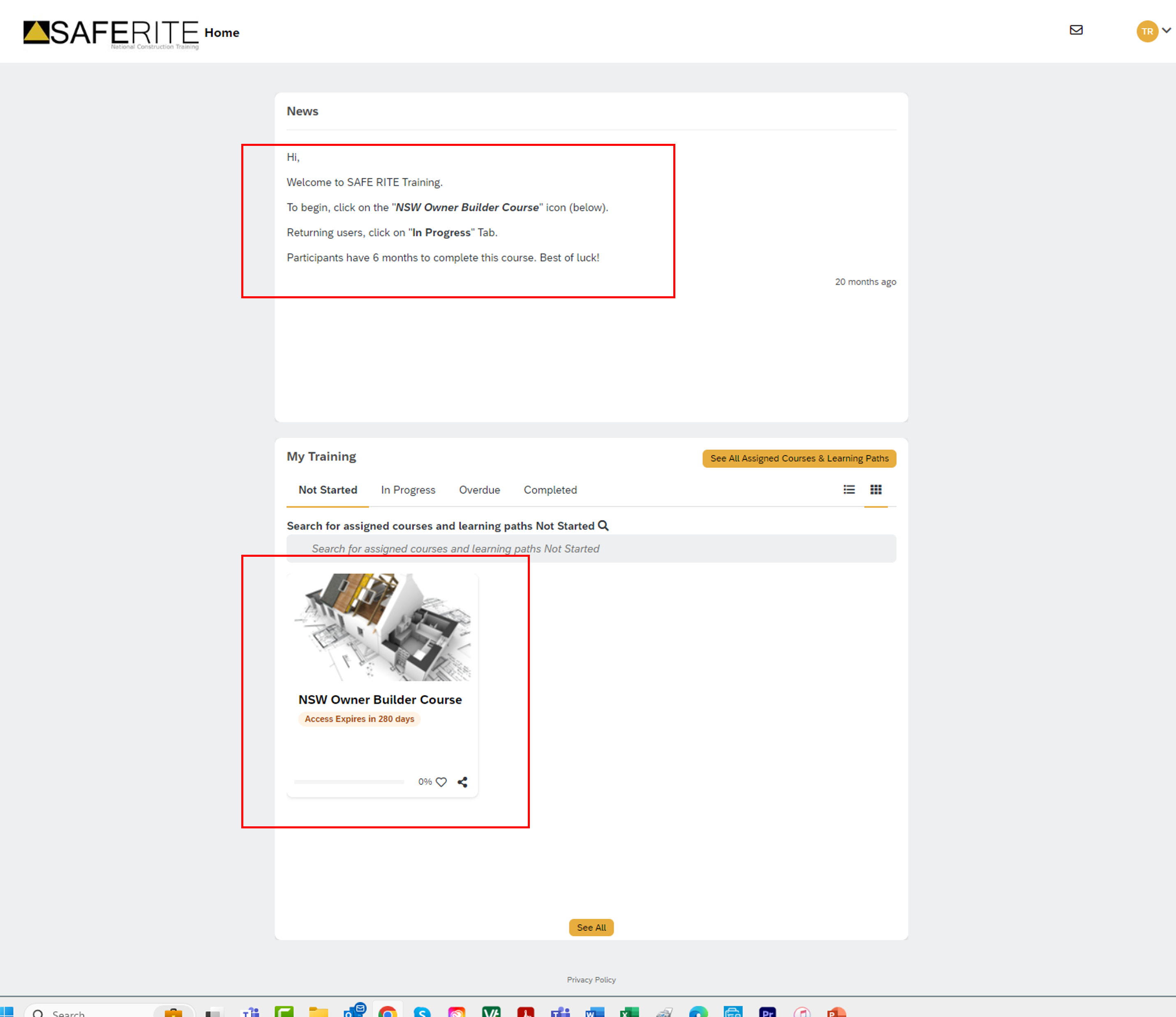
– Read welcome message and instructions at top.
– Click “NSW Owner Builder Course” icon to access course.
Step 9
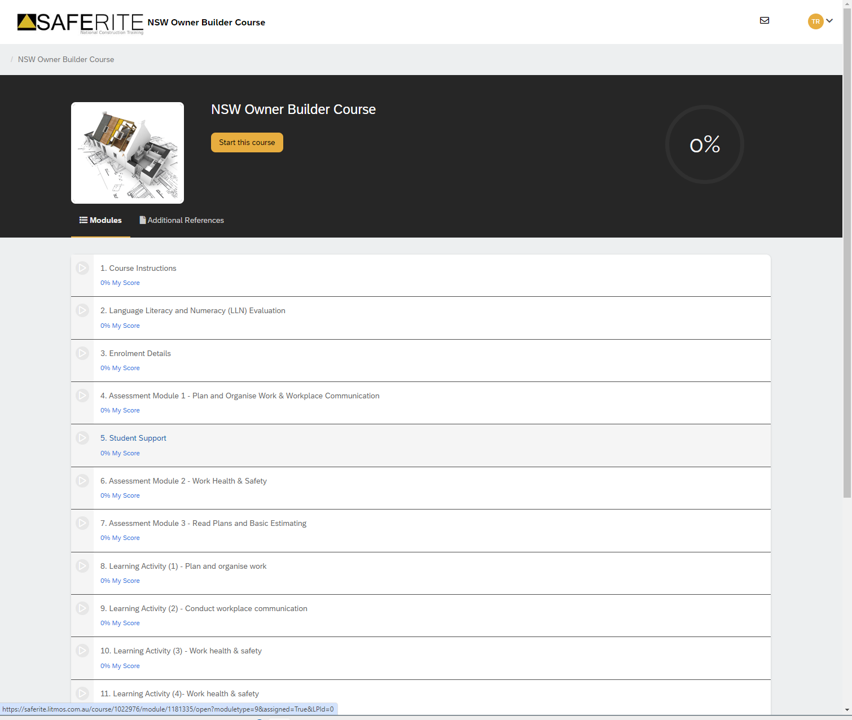
Start course.
ok ready? ….then let’s do this!